

Troubleshooting a brushless DC geared motor can be a challenging yet rewarding process. As a supplier of brushless DC geared motors, I've encountered various issues and have come up with effective solutions over the years. In this blog, I'll share some insights on how to diagnose and resolve common problems with these motors.
Understanding the Basics of Brushless DC Geared Motors
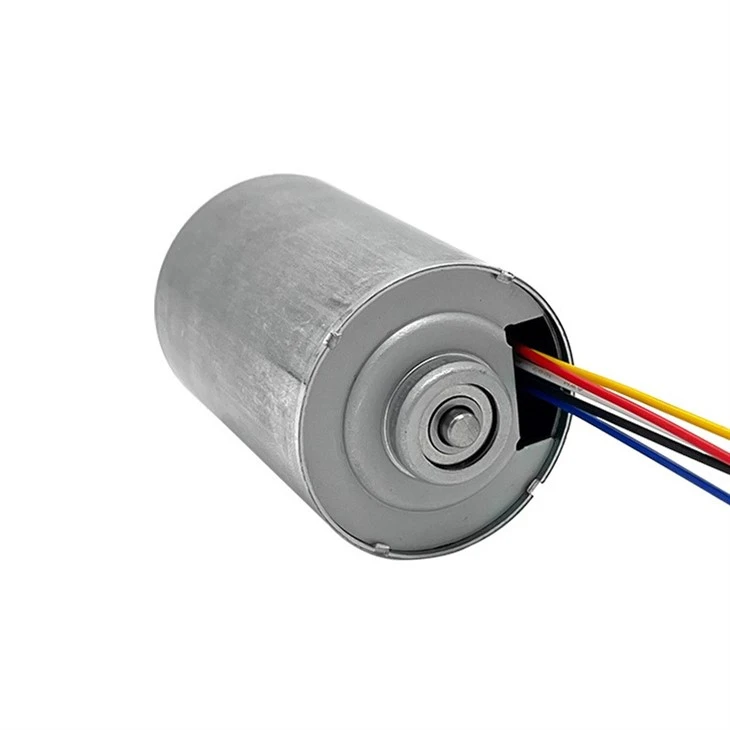
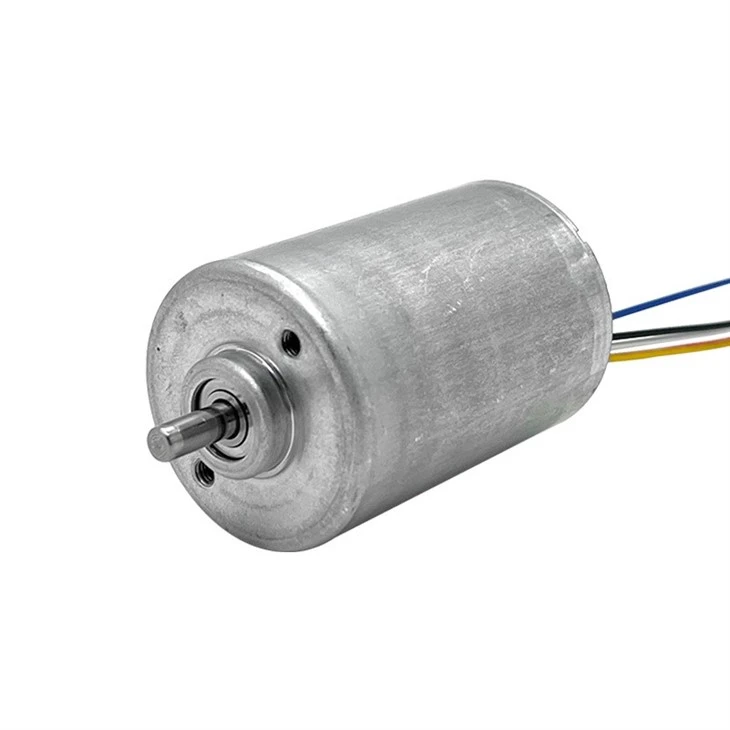
Before diving into troubleshooting, it's essential to have a basic understanding of brushless DC geared motors. These motors combine a brushless DC motor with a gearbox to provide high torque at low speeds. The brushless design eliminates the need for brushes and commutators, which reduces maintenance and increases the motor's lifespan. The gearbox, on the other hand, allows the motor to deliver more torque by reducing the output speed.
Common Problems and Solutions
1. Motor Not Starting
- Possible Causes
- Power Supply Issues: A faulty power supply can prevent the motor from starting. This could be due to a blown fuse, a loose connection, or a malfunctioning power source.
- Controller Malfunction: The motor controller is responsible for regulating the motor's speed and direction. If the controller fails, the motor may not start.
- Overload: If the motor is overloaded, it may not have enough power to start. This could be due to a mechanical problem in the load or an incorrect gear ratio.
- Solutions
- Check the Power Supply: Inspect the power supply for any visible signs of damage, such as blown fuses or loose connections. Use a multimeter to measure the voltage at the motor terminals. If the voltage is incorrect or unstable, replace the power supply or fix the connection.
- Test the Controller: If you suspect a controller malfunction, refer to the controller's manual for troubleshooting instructions. You may need to check the controller's settings, connections, or perform a reset. For more advanced controllers like the Smart BLDC Motor Controller PCBA - 20kHz PWM Speed Regulator For Beauty Devices, it's recommended to contact the manufacturer for technical support.
- Reduce the Load: If the motor is overloaded, check the load for any mechanical problems, such as binding or misalignment. You may also need to adjust the gear ratio to match the load requirements.
2. Motor Running Erratically
- Possible Causes
- Electrical Interference: Electrical interference from nearby equipment or power lines can cause the motor to run erratically.
- Sensor Issues: Brushless DC motors rely on sensors to detect the rotor's position. If the sensors are malfunctioning or misaligned, the motor may not run smoothly.
- Controller Settings: Incorrect controller settings, such as improper speed or torque limits, can also cause the motor to run erratically.
- Solutions
- Isolate the Motor: To reduce electrical interference, isolate the motor from other equipment and power lines. Use shielded cables and proper grounding techniques.
- Check the Sensors: Inspect the sensors for any visible signs of damage or misalignment. If necessary, replace the sensors or adjust their position. Refer to the motor's manual for specific sensor troubleshooting instructions.
- Adjust the Controller Settings: Review the controller settings and ensure they are configured correctly. You may need to adjust the speed, torque, or other parameters to optimize the motor's performance.
3. Motor Overheating
- Possible Causes
- Overload: Running the motor at a higher load than its rated capacity can cause it to overheat.
- Poor Ventilation: Inadequate ventilation can prevent the motor from dissipating heat effectively, leading to overheating.
- Faulty Components: A faulty motor winding, controller, or other components can also cause the motor to overheat.
- Solutions
- Reduce the Load: If the motor is overloaded, reduce the load or select a motor with a higher rated capacity. Refer to the motor's specifications to determine its maximum load capacity.
- Improve Ventilation: Ensure that the motor has adequate ventilation. Clean any dust or debris from the motor's cooling fins and provide proper airflow around the motor. You may also consider installing a cooling fan or heat sink if necessary.
- Check for Faulty Components: Inspect the motor and controller for any faulty components. Look for signs of damage, such as burnt wires or overheated components. Replace any faulty parts as needed.
4. Excessive Noise or Vibration
- Possible Causes
- Mechanical Issues: Loose bearings, misaligned gears, or other mechanical problems can cause excessive noise and vibration.
- Electrical Issues: Electrical problems, such as unbalanced currents or incorrect phase angles, can also lead to noise and vibration.
- Load Imbalance: An uneven load on the motor can cause it to vibrate and produce noise.
- Solutions
- Inspect the Mechanical Components: Check the motor's bearings, gears, and other mechanical components for any signs of wear or damage. Tighten any loose connections and replace any worn parts. Ensure that the motor is properly aligned with the load.
- Check the Electrical System: Use a multimeter to measure the electrical currents and voltages in the motor. Check for any unbalanced currents or incorrect phase angles. If necessary, adjust the controller settings or repair the electrical system.
- Balance the Load: Ensure that the load on the motor is evenly distributed. If the load is unbalanced, adjust the load or use a counterbalance to reduce vibration.
Advanced Troubleshooting Techniques
In some cases, the above solutions may not resolve the problem. In these situations, you may need to use more advanced troubleshooting techniques.
1. Oscilloscope Analysis
An oscilloscope can be used to analyze the electrical signals in the motor. By observing the voltage and current waveforms, you can identify any abnormalities or faults in the motor or controller. This technique requires some technical knowledge and experience, so it's recommended to consult a professional if you're not familiar with oscilloscope operation.
2. Thermal Imaging
Thermal imaging can be used to detect overheating components in the motor or controller. By using a thermal camera, you can identify hotspots and pinpoint potential problems before they cause significant damage. This technique is especially useful for diagnosing intermittent or hard-to-find problems.
3. Data Logging
Data logging involves recording the motor's performance parameters over time. By analyzing the data, you can identify trends and patterns that may indicate a problem. This technique can be used to monitor the motor's temperature, speed, torque, and other parameters.
Conclusion
Troubleshooting a brushless DC geared motor requires a systematic approach and a good understanding of the motor's operation. By following the steps outlined in this blog, you can diagnose and resolve common problems with these motors. If you're still experiencing issues after troubleshooting, don't hesitate to contact us for further assistance.
As a leading supplier of brushless DC geared motors, we offer a wide range of high-quality products, including the 42mm High Torque Brushless Planetary Gear Motor, 24V BLDC Motor With Built-in Driver & PWM Speed Control and the 4260WH 24V 50W Brushless DC Gear Motor | High Torque & Long Life | Pinmotor. Our team of experts is always ready to help you select the right motor for your application and provide technical support. If you're interested in purchasing our products or have any questions, please feel free to contact us. We look forward to working with you!
References
- "Brushless DC Motor Handbook" by Ned Mohan
- "Electric Motors and Drives: Fundamentals, Types and Applications" by Austin Hughes and Bill Drury